

ER-180U
SAM4S ER-180U Electronic Cash Register
$249.00
Shop this register- Raised-key keyboard
- 500 open or preset Price Look-Ups (PLUs)
Product added to cart
SAM4S replacement guidance
Identify your older register, review the evidence we have, and find the safest next step without guessing at a replacement.
Replacement Finder
Enter the exact model from the label on your register. We will open the matching path for that model, rather than guessing from appearance alone.
Send us the model number from your register label and, if you can, a photo of the keyboard. We will help you choose a current register and explain what to expect for programming and connected equipment.
Get help choosing a replacementThe documented raised-key, single-printer match is the ER-925E.
Closest current fit for the documented model: ER-925E
| Feature | ER-925 (old) | ER-925E (current) |
|---|---|---|
| Keyboard | Raised keys | Raised keys |
| Touchscreen | No | No |
| Printer | Single station, 58 mm | Single station |
| Items (PLUs) | ER-900 generation memory (4 MB) | Up to 22,000 |
| Journal | Electronic journal | Electronic journal |
| Ports and networking | 2 × RS-232 (up to 4 with option board 501531) | 2 × RS-232 (up to 4), Ethernet |
| Payment | Not documented | DC Direct over Ethernet |
| Programming | Same series; transfer from the non-E model is not verified | SD card and USB program save and load |
| Peripherals | RS-232 devices | Each device verified by exact model |
No side-by-side photo: CRS uses the same product photo for the ER-925 and the ER-925E, so a photo cannot tell them apart. Check the model label.
Sources: CRS ER-900 Series brochure (2021); CRS ER-900E Series brochure and product update sheet.
A closest current fit based on documented features, not a manufacturer replacement statement.
Tell us your exact register model and how you use it. We will help you choose a current option that fits your business.
We do not assume that programming or connected equipment carries over from an older register. We confirm both with you before you order, and programming assistance is available.
Get help choosing a replacement
Keyboard style and printer arrangement determine the documented ER-900E closest fit.
Closest current fit for the documented model: ER-920E, ER-925E, ER-940E, ER-945E
| Old model | Keyboard | Printers | Closest current fit |
|---|---|---|---|
| ER-920 | Flat | Receipt only (single station) | ER-920E |
| ER-925 | Raised keys | Receipt only (single station) | ER-925E |
| ER-940 | Flat | Receipt and journal | ER-940E |
| ER-945 | Raised keys | Receipt and journal | ER-945E |
Sources: CRS ER-900 Series brochure (2021); CRS ER-900E Series brochure and product update sheet.
A closest current fit based on documented features, not a manufacturer replacement statement.
Tell us your exact register model and how you use it. We will help you choose a current option that fits your business.
We do not assume that programming or connected equipment carries over from an older register. We confirm both with you before you order, and programming assistance is available.
Get help choosing a replacementThe documented flat-keyboard, dual-printer closest fit is the ER-940E.
Closest current fit for the documented model: ER-940E
| Feature | ER-5200M (old) | ER-940E (current) |
|---|---|---|
| Keyboard | Flat, spill-resistant, 160 positions, 117 NLU keys; food service | Flat, spill-resistant, 150 keys (100 programmable); food service |
| Touchscreen | No | No |
| Printers | Separate receipt and journal thermal printers, 58 mm; optional receipt auto cutter | Receipt and journal thermal printers, 58 mm |
| Items (PLUs) | 117 by default, up to 10,000 | Up to 22,000 |
| Clerks | Up to 99 | Up to 99 |
| Displays | 2-line × 16-character LCD; 10-character rear pop-up | 2-line × 16-character LCD; 9-digit LED customer display |
| Ports and networking | 2 × RS-232C; no Ethernet or SD card documented | 2 × RS-232C (up to 4), Ethernet, SD card |
| Payment | DataTran payment appliance on RS-232C | DC Direct over Ethernet |
| Programming | Programmed from the keyboard or a PC over RS-232C; nothing documents loading this program into an ER-900E | Program rebuilt from your item list and reports; SD card save and load |
| Peripherals | Scale (NCI or CAS), kitchen printer, scanner, coin dispenser, pole display on RS-232C | CAS scales work with the SAM4S registers we sell; the correct cable, connection and programming may still be required, and each other device is confirmed by exact model |
Does not carry over: the DataTran payment connection and the register program. No scanner, scale, printer or drawer is assumed reusable until it is verified.
Sources: CRS ER-5200M/5240M Operator & Programming Manual v2.28; CRS ER-900E Series brochure (LIT-409).
A closest current fit based on documented features, not a manufacturer replacement statement.
Tell us your exact register model and how you use it. We will help you choose a current option that fits your business.
We do not assume that programming or connected equipment carries over from an older register. We confirm both with you before you order, and programming assistance is available.
Get help choosing a replacementOlder model photos to help you identify your register:
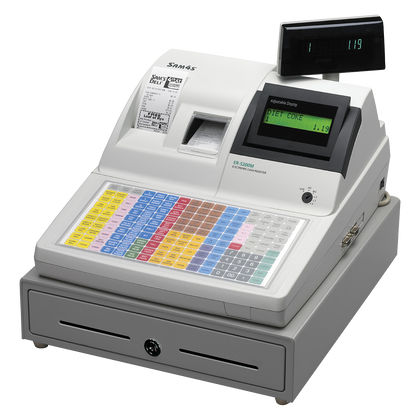
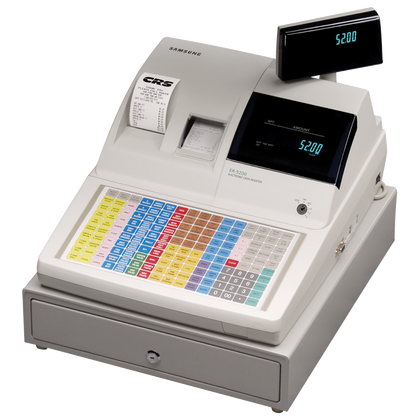
CRS manufacturer images.
The documented raised-key, dual-printer closest fit is the ER-945E.
Closest current fit for the documented model: ER-945E
| Feature | ER-5240M (old) | ER-945E (current) |
|---|---|---|
| Keyboard | Raised keys, 90 positions, 15 NLU keys (up to 40); retail | Raised keys, up to 94 keys (78 programmable); retail |
| Touchscreen | No | No |
| Printers | Separate receipt and journal thermal printers, 58 mm; optional receipt auto cutter | Receipt and journal thermal printers, 58 mm |
| Items (PLUs) | 117 by default, up to 10,000 | Up to 22,000 |
| Clerks | Up to 99 | Up to 99 |
| Displays | 2-line × 16-character LCD; 10-character rear pop-up | 2-line × 16-character LCD; 9-digit LED customer display |
| Ports and networking | 2 × RS-232C; no Ethernet or SD card documented | 2 × RS-232C (up to 4), Ethernet, SD card |
| Payment | DataTran payment appliance on RS-232C | DC Direct over Ethernet |
| Programming | Programmed from the keyboard or a PC over RS-232C; nothing documents loading this program into an ER-900E | Program rebuilt from your item list and reports; SD card save and load |
| Peripherals | Scale (NCI or CAS), kitchen printer, scanner, coin dispenser, pole display on RS-232C | CAS scales work with the SAM4S registers we sell; the correct cable, connection and programming may still be required, and each other device is confirmed by exact model |
Does not carry over: the DataTran payment connection and the register program. No scanner, scale, printer or drawer is assumed reusable until it is verified.
Sources: CRS ER-5200M/5240M Operator & Programming Manual v2.28; CRS ER-900E Series brochure (LIT-409).
A closest current fit based on documented features, not a manufacturer replacement statement.
Tell us your exact register model and how you use it. We will help you choose a current option that fits your business.
We do not assume that programming or connected equipment carries over from an older register. We confirm both with you before you order, and programming assistance is available.
Get help choosing a replacementOlder model photos to help you identify your register:
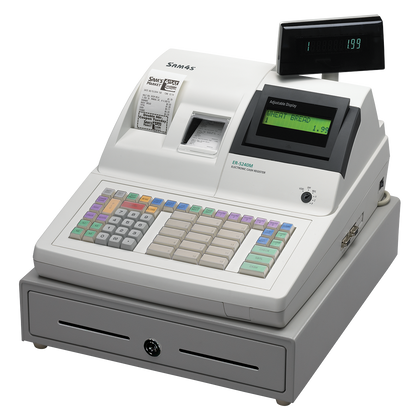
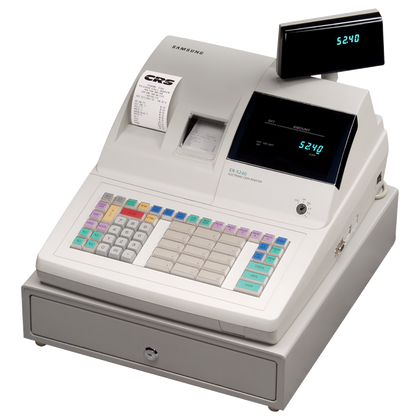
CRS manufacturer images.
The ER-5215M used a raised-key, dual-printer layout. Compare current ER-945E and ER-915E registers; advanced guest-check and programming features require a separate setup review.
Current raised-key, dual-printer choices. The ER-5215M used separate receipt and journal printers. Compare these current registers by keyboard size and the functions you actually use.
Guest checks, clerk functions, scanner setup, data conversion and other advanced ER-5215M features need a new-program review. These are current choices, not confirmed plug-in replacements.
We do not assume that programming or connected equipment carries over from an older register. We confirm both with you before you order, and programming assistance is available.
Get help choosing a replacementOlder model photos to help you identify your register:
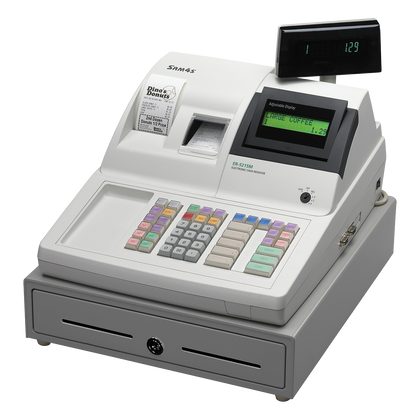
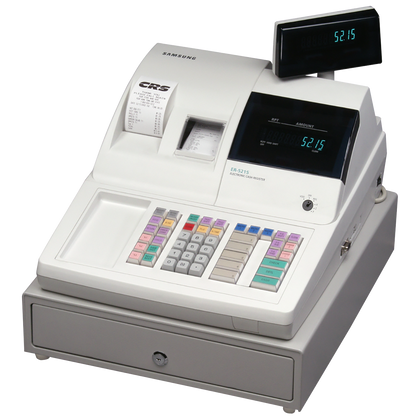
CRS manufacturer images.
Replace an older SPS-320, SPS-340, or SPS-345 with the corresponding current SPS-300 model. Choose the same keyboard and printer configuration.
Replace your older SPS-300 with the corresponding current SPS-300 model.
Verify the old version and program backup format before reusing existing programming.
We do not assume that programming or connected equipment carries over from an older register. We confirm both with you before you order, and programming assistance is available.
Get help choosing a replacementFor NR-510B and NR-510RB, see the current options below. For other variants, we will help confirm the right choice.
Closest current fit for the documented model(s) named in this badge: NR-510BE, NR-510RBE
| Feature | NR-510B / NR-510RB (old) | NR-510BE / NR-510RBE (current) |
|---|---|---|
| Keyboard | Flat (NR-510B) or raised (NR-510RB) | Flat (NR-510BE) or raised (NR-510RBE) |
| Touchscreen | No | No |
| Printer | Single thermal printer | Single station |
| Items (PLUs) | Over 3,200 (8,000 with SD) | The same |
| Journal | Electronic journal | Electronic journal |
| Display | 2-line × 16-character LCD | The same |
| Ports and networking | 3 serial ports and USB | The same, plus Ethernet |
| Payment | Not documented | DC Direct over Ethernet |
| Programming | SD, USB and eSpresso PC backup documented for the series | Confirm the transfer before relying on it |
| Peripherals | Serial and USB devices | Same series; each device verified by exact model |
Sources: CRS NR-500 Operator-Programming Manual v1.53 (covers both generations); CRS NR-510E brochure.
A closest current fit based on documented features, not a manufacturer replacement statement.
Tell us your exact register model and how you use it. We will help you choose a current option that fits your business.
We do not assume that programming or connected equipment carries over from an older register. We confirm both with you before you order, and programming assistance is available.
Get help choosing a replacementUpgrade SPS-500 series registers to SAP-630II with SAM4POS. Choose FT for a flat keyboard and RT for raised keys.
Recommended upgrade: SAP-630II with SAM4POS. Choose the flat or raised-key layout that matches your older SPS-500 register.
This uses a newer POS software platform, not a direct old-program transfer. Confirm kitchen printing, reports and connected equipment before ordering.
We do not assume that programming or connected equipment carries over from an older register. We confirm both with you before you order, and programming assistance is available.
Get help choosing a replacementOlder model photos to help you identify your register:
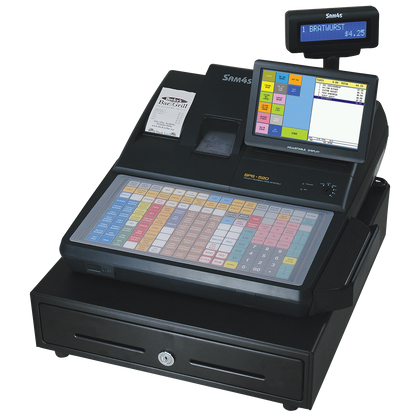
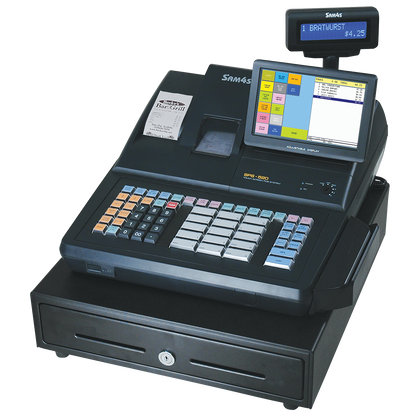
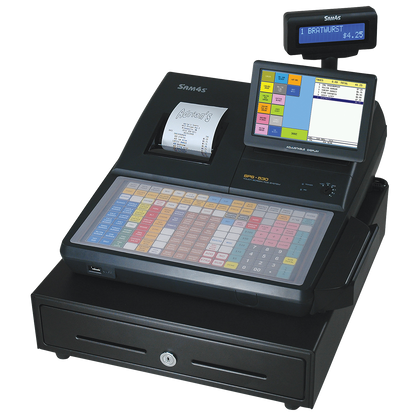
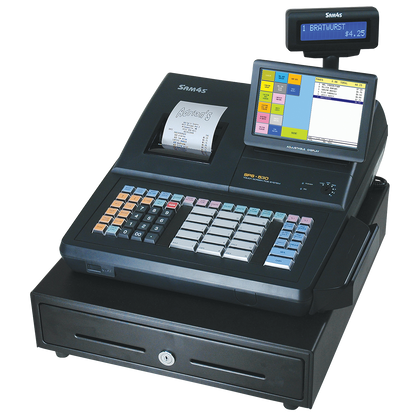
CRS manufacturer images. FT models have a flat keyboard; RT models have a raised keyboard.
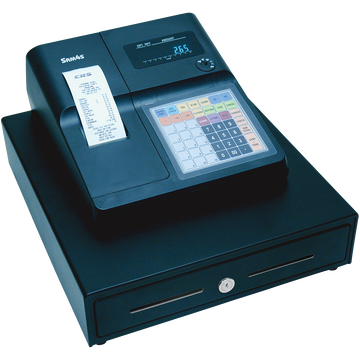
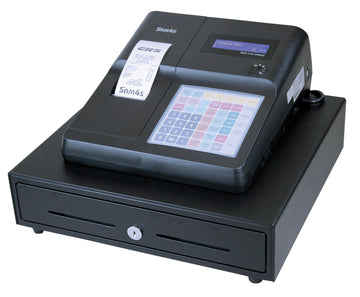
The ER-265B comparison points to the ER-265EJ. For ER-260 or other ER-265 variants, we will help match your setup.
Closest current fit for the documented model(s) named in this badge: ER-265EJ
| Feature | ER-265B (old) | ER-265EJ (current) |
|---|---|---|
| Keyboard | Flat, spill-resistant; 15 keyboard PLUs | Flat |
| Touchscreen | No | No |
| Printer | Thermal, receipt or journal (programmable), 58 mm | Single station plus electronic journal |
| Items (PLUs) | 1,000 | Up to 8,000 |
| Journal | Printed journal option | Electronic journal |
| Ports and networking | 1 × RS-232C (PC or kitchen printer) | 3 × RS-232, USB, Ethernet |
| Payment | No integrated payment documented | DC Direct over Ethernet |
| Programming | Transfer from the ER-265B is not verified | SD card, USB and eSpresso program save and load |
| Peripherals | Kitchen printer on RS-232C | USB scanner support; each device verified by exact model |
Only the ER-265B is compared. For the ER-260 and unsuffixed ER-265, share your exact model and we will help you choose.
Sources: CRS ER-265 brochure (LIT-195b, 2017); CRS ER-260EJ/265EJ brochure; ER-260EJ/265EJ manual v1.63.
A closest current fit based on documented features, not a manufacturer replacement statement.
Tell us your exact register model and how you use it. We will help you choose a current option that fits your business.
We do not assume that programming or connected equipment carries over from an older register. We confirm both with you before you order, and programming assistance is available.
Get help choosing a replacement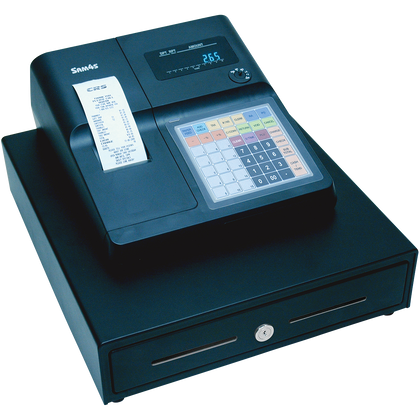
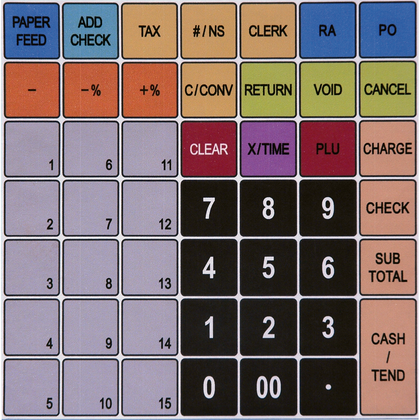
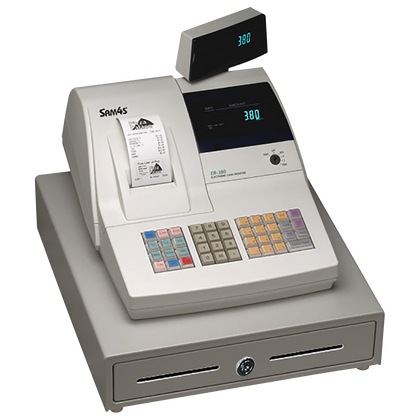
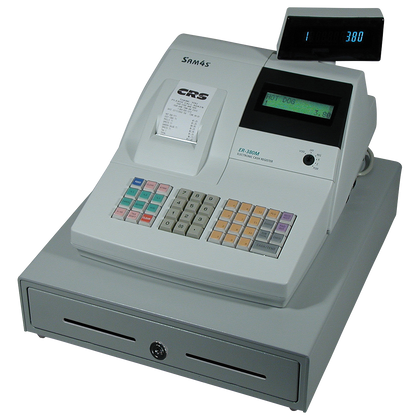
The ER-390M comparison points to ER-920E. For ER-380 or other ER-390 variants, we will help match your setup.
Closest current fit for the documented model(s) named in this badge: ER-920E
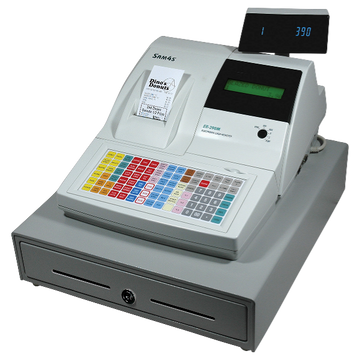
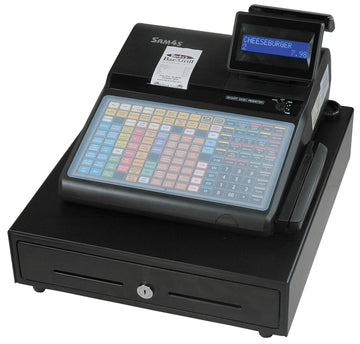
| Feature | ER-390M (old) | ER-920E (current) |
|---|---|---|
| Keyboard | Flat, spill-resistant, 90 positions | Flat |
| Touchscreen | No | No |
| Printer | Single thermal printer | Single-station printer |
| Items (PLUs) | 500 | Up to 22,000 |
| Journal | Electronic journal | Electronic journal |
| Customer display | 10-digit pop-up rear display | Rear customer display |
| Ports and networking | 2 × RS-232C | 2 × RS-232 (up to 4), Ethernet |
| Payment | Optional card reader, Datacap DataTran compatible | DC Direct over Ethernet |
| Programming | Optional Direct Connect PC Utility | Transfer from the ER-390M is not verified; confirm before relying on it |
| Peripherals | RS-232 scale, kitchen printer, coin dispenser, pole display listed | Each device verified by exact model |
Only the ER-390M is compared. The ER-380 and ER-380M keyboard type is not documented, so they stay options to discuss.
Sources: CRS ER-390M product page; CRS ER-900E Series brochure (LIT-409).
A closest current fit based on documented features, not a manufacturer replacement statement.
Tell us your exact register model and how you use it. We will help you choose a current option that fits your business.
We do not assume that programming or connected equipment carries over from an older register. We confirm both with you before you order, and programming assistance is available.
Get help choosing a replacement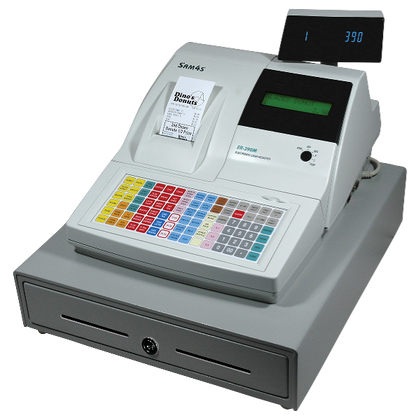
ER-650 flat keyboard: SPS-320. ER-650R raised-key keyboard: SPS-345, which adds a dedicated journal printer. Confirm connected devices and programming.
Recommended current SPS-300 replacements: match the keyboard on your ER-650.
ER-655 and ER-655II impact-printer variants require a separate printer and workflow check.
For the ER-655 family, we will confirm the correct printer and replacement workflow before naming a current model. Use the contact link below.
We do not assume that programming or connected equipment carries over from an older register. We confirm both with you before you order, and programming assistance is available.
Get help choosing a replacement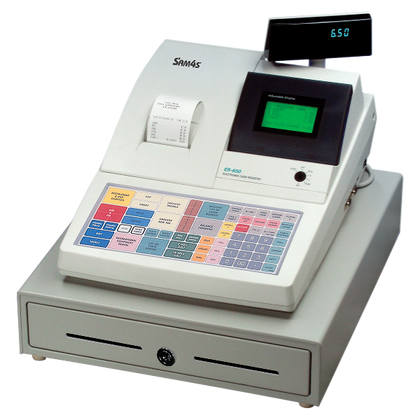
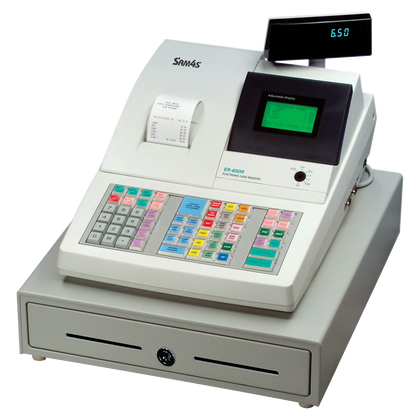
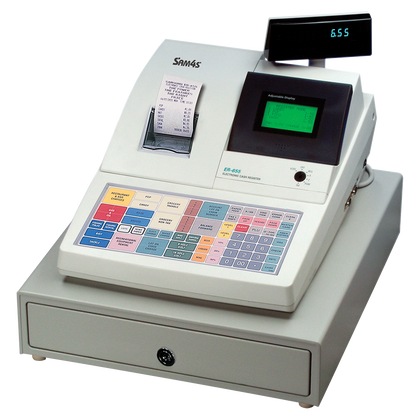
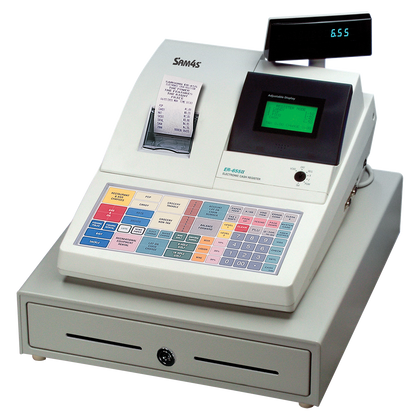
Current compact option: ER-180U, with 16 departments, 500 PLUs and a 58 mm thermal printer. The CRS catalog lists the ER-180TB as discontinued. Confirm that the item count and printing needs of your older register fit.
Recommended modern compact register: ER-180U. The ER-180U has 16 departments, 500 PLUs, up to 10 clerks and a 58 mm thermal printer. Compare those figures with what your older register does today.
The ER-180U prints on thermal paper. Confirm the printer type and printed-journal workflow of your older register, and reprogram the new register rather than attempting a direct memory transfer.
We do not assume that programming or connected equipment carries over from an older register. We confirm both with you before you order, and programming assistance is available.
Get help choosing a replacementMove from an SPS-2000 or SPS-2200 to a modern SAM4POS setup. Compare SAP-630II flat- and raised-key terminals; kitchen systems, multi-register setups and back-office software require a planned migration.
Recommended direction: a configured SAM4POS migration. SPS-2000/SPS-2200 applications may involve tables, kitchen printing, networked registers and back-office reporting that a basic cash register cannot replace.
The SAP-630II is one potential terminal, not a guaranteed complete replacement for an SPS-2000/SPS-2200 installation. Confirm every register, payment device and kitchen workflow before purchase.
We do not assume that programming or connected equipment carries over from an older register. We confirm both with you before you order, and programming assistance is available.
Get help choosing a replacementOlder model photos to help you identify your register:
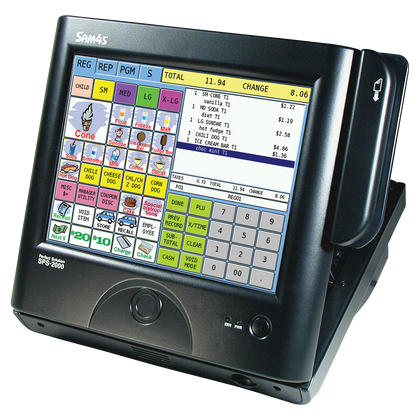
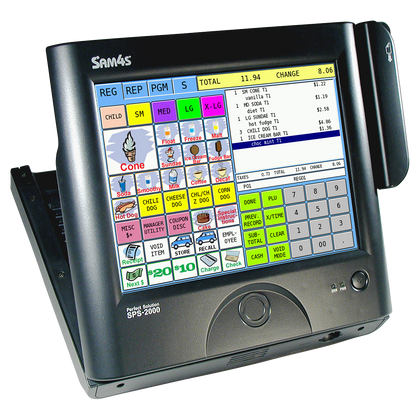
CRS manufacturer images. These photos show the SPS-2000 only. No verified SPS-2200 photo is available, so check the model label on your register.
SER-7000 flat-key: compare the SAP-630II FT with SAM4POS, or ER-940E for simpler register operation. SER-7040 raised-key: compare SAP-630II RT or ER-945E.
Choose by the original keyboard and workflow. SER-7000 uses a large flat-key layout; SER-7040 uses raised keys. For complex hospitality functions, compare a SAM4POS upgrade before selecting a basic ECR.
Confirm menu keys, guest checks, clerk functions, kitchen printing and multiple-register communications before migrating. Neither an ECR nor SAM4POS imports the original program automatically.
We do not assume that programming or connected equipment carries over from an older register. We confirm both with you before you order, and programming assistance is available.
Get help choosing a replacementChoose a current SAM4S register by keyboard style and built-in receipt/journal printing. Old Samsung models vary: the exact model determines programming and accessory migration.
Start with the keyboard and printing your business needs. These are current SAM4S choices, not claims that one register universally replaces every legacy brand or model.
Share the old model number, a keyboard photo and your peripheral list if you want us to confirm which option fits before purchase. Programming, integrations and accessories are not assumed portable.
We do not assume that programming or connected equipment carries over from an older register. We confirm both with you before you order, and programming assistance is available.
Get help choosing a replacementOlder Samsung and SAM4S models: match the brand badge and the model label on your register.
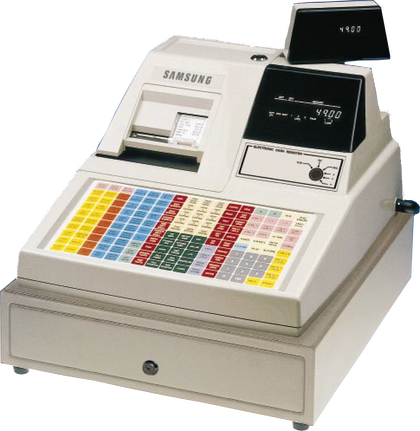
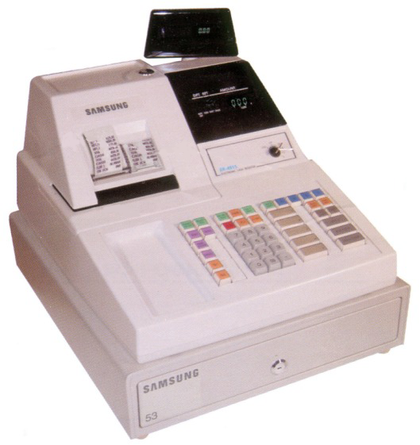
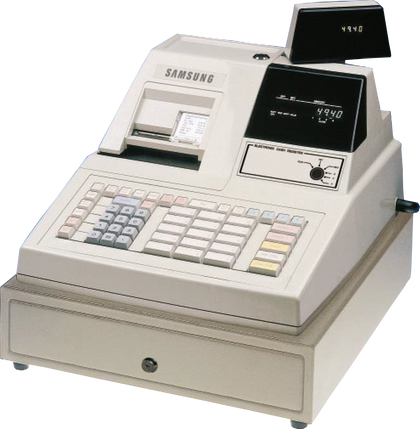
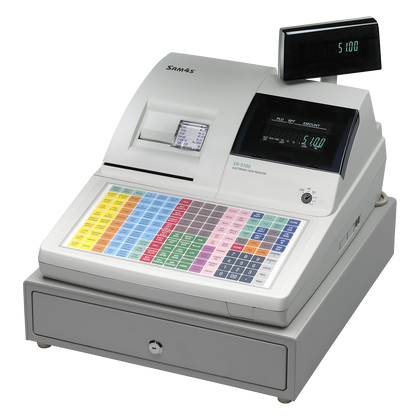
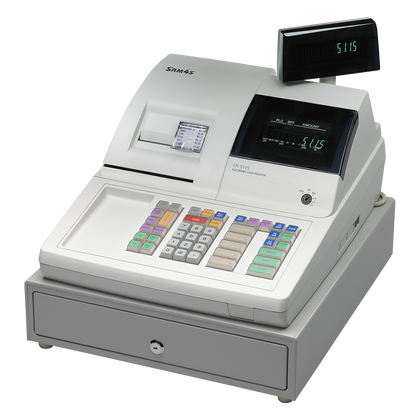
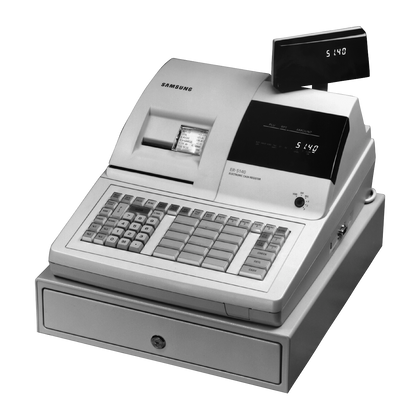
CRS manufacturer images.
Compare current SAM4S cash registers by keyboard, receipt/journal printing and checkout workflow. No single model replaces every Casio cash register.
Start with the keyboard and printing your business needs. These are current SAM4S choices, not claims that one register universally replaces every legacy brand or model.
Share the old model number, a keyboard photo and your peripheral list if you want us to confirm which option fits before purchase. Programming, integrations and accessories are not assumed portable.
We do not assume that programming or connected equipment carries over from an older register. We confirm both with you before you order, and programming assistance is available.
Get help choosing a replacementCompare current SAM4S cash registers by keyboard, receipt/journal printing and checkout workflow. No single model replaces every Sharp cash register.
Start with the keyboard and printing your business needs. These are current SAM4S choices, not claims that one register universally replaces every legacy brand or model.
Share the old model number, a keyboard photo and your peripheral list if you want us to confirm which option fits before purchase. Programming, integrations and accessories are not assumed portable.
We do not assume that programming or connected equipment carries over from an older register. We confirm both with you before you order, and programming assistance is available.
Get help choosing a replacementSee the actual hardware
These are the models we sell and support today. Compare the keyboard style and printer arrangement against the register you are replacing, then ask us to confirm the match before you order.
ER-180U
$249.00
Shop this register
ER-925E
$729.00
Shop this registerRetail and item-driven checkout.

ER-940E
$759.00
Shop this registerFood service and menu-driven checkout.

ER-265EJ
$499.00
Shop this registerSmall retail, service, and food-counter applications.

NR-510BE
$559.00
Shop this registerTraditional-format menu-driven checkout.

ER-260EJ
$499.00
Shop this registerSmall retail, service, and food-counter applications.
Before you choose
Raised-key keyboards are often preferred when operators ring departments or items quickly by feel. Flat programmable keyboards can be a better fit when the business needs many labeled menu or function keys. Match the replacement to the actual checkout workflow rather than choosing by appearance.
A business that only needs a customer receipt may not need the same printer configuration as one that relies on a journal or other printed record. Identify how the old register is used before selecting a replacement.
Sometimes existing data can be preserved, exported or recreated, but transfer should never be promised solely from the old and new model names. Source model, software, backup format, item count, keyboard layout and target register all matter. For the ER-5200M and ER-5240M, nothing documents loading the old program into a current register, so it is rebuilt.
Buy programming service · Programming help · Manuals and documentation
Possibly. Every device should be verified by exact model, cable, interface and intended workflow. A connector that physically fits does not guarantee compatibility.
Barcode scanners · Cash drawers · Receipt printers · Receipt paper
No. If you currently use a separate credit-card terminal, that setup can often remain separate from the new register. If you want to review integrated payments or processing options such as interchange-plus, flat-rate, cash discount, dual pricing, ERR pricing, PIN debit or EBT, that can be evaluated separately from the register replacement.
The right sequence is to understand the checkout workflow first, then decide whether changing the payment setup improves the business.
Cash register for your business · Cash register vs POS system · Programmed packages · SAM4POS
If the register still matches the business and the problem is isolated, troubleshooting, programming help or a compatible accessory can be a better answer than replacement. Do not reset the old register just to identify it; preserve useful reports and programming first whenever possible.
Service and troubleshooting · Common register problems · Manuals
For a multi-register replacement at one business, send the old model numbers, quantities, keyboard photos, connected equipment and programming expectations together. We can review the project as one job and quote volume pricing instead of treating each replacement as an unrelated single-unit order.
Send the old model number plus photos of the front, keyboard, rear connections and model label. If possible, include a current receipt and a list of connected equipment. Also tell us what you wish the old register did better. That lets us identify what should be preserved and what should change.
No, but changing keyboard style changes the operator workflow. Make that an intentional decision rather than an accidental one.
Not necessarily. A reliable register that still fits the business can remain useful. Replacement makes more sense when failures, parts, downtime or missing capabilities are becoming costly.
Yes. Replacement guidance, one-time support and programming are available even when the existing register came from another dealer or was acquired used.
Send photos of the front, keyboard, rear connections and model label. We can use those details to narrow the replacement path.
Paying for the equipment
Tell us how you would prefer to handle the cost of the new equipment and we will bring the right options to the quote. This is about the equipment you are buying — it is separate from how you take card payments, and you do not need to change processor to ask about any of it.
Financing means you are buying the equipment and paying for it over time. Leasing means you are paying to use it under the terms of a lease, and ownership at the end is whatever that lease says it is — sometimes a purchase option, sometimes a return. We will always tell you which one a quote is, and we will not describe a lease as if it were a purchase.
Changing how you take card payments is a separate conversation, and separate paperwork. You can keep your current processor and still ask about any of the options above.
Ready for the next step?
Use the Register Finder if you are still narrowing down equipment, or talk with a specialist about the register, programming, replacement equipment and accessories that fit your business.
Already ordered a SAM4S register? Use the onboarding worksheet to send us the programming, peripheral, payment-terminal and go-live details for the setup.
Need credit or debit processing too? We can review it after the register requirements are clear. Changing processors is not required.
Already own a SAM4s? Whether you bought it from us or somewhere else, or the dealer who sold it is no longer available, tell us what you have and what you need. We can help you work through programming, supplies, support, whether the register is worth keeping. Start with what you own.