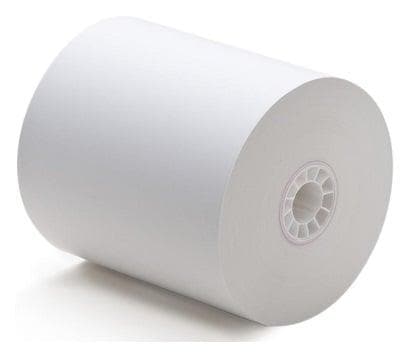
Receipt Paper for SAM4S Cash Registers

Accessories by category

Parts that support the counter, grouped by what they are.

Cables, displays, power supplies, till inserts and drawer hardware are bought against a specific piece of equipment. A matching connector is not proof of fit, so confirm the exact host model, interface and cabling before ordering.

Have us confirm the part

Compatibility depends on the exact host equipment, interface, cable, firmware and programming. Being listed on this page does not mean an item is compatible with a particular SAM4S register or printer. We verify the correct configuration before recommending or shipping a part.

Cash register basics that matter

One-printer and two-printer registers do not use paper the same way.

Keyboard style and the number of built-in printer stations are practical clues to how a register is intended to be used. They are not absolute rules, but they are excellent starting points.

Keyboard style

Flat keyboard

A flat, programmable keyboard is usually the better fit for restaurants and food service. It gives the operator a large field of programmable item and function keys for fast, repetitive order entry.

Typical fit: restaurants, delis, cafeterias, concessions and other food-service counters.

Keyboard style

Raised keyboard

A raised-key keyboard is usually used in retail, especially when a barcode scanner does most of the item entry. The operator still has dedicated department, tender and function keys without needing a large flat item-key area.

Typical fit: convenience, liquor, specialty retail and stores using UPC or barcode scanning.

Built-in printing

One-printer model

A one-printer register has a single built-in print station, normally used for the customer receipt. This is often enough when the business does not need a continuous paper journal retained inside the register.

Ask: Do you only need the customer receipt, or do you also want an internal paper record?

Built-in printing

Two-printer model

A two-printer register adds a second internal journal station. That journal roll stays inside the register and creates an analog paper record of transactions in addition to the customer receipt.

Useful when: the owner wants a physical transaction journal for review, backup or established operating procedures.

Important distinction: the second built-in printer is a journal printer. It is different from an external kitchen, receipt or remote printer connected to the register.
Paper ordering: On a two-printer model, identify whether you are replacing the customer receipt roll, the internal journal roll, or both.

Still deciding whether a register is the right shape of tool? Read why businesses still buy cash registers, or see how SAM4S compares with other register brands.

Receipt-paper checklist

Match paper by printer technology, width and roll size.

The register model or printer model is usually the fastest way to identify the correct paper. Width alone is not enough.

Thermal paper

Used by direct-thermal printers. The coated side must face the print head correctly. No ribbon is used.

Bond or impact paper

Used with impact mechanisms and ribbons. Do not substitute thermal paper merely because the roll fits.

Width & diameter

Common widths include approximately 58 mm and 80 mm, but the maximum outside roll diameter and core can also determine whether the roll fits.

Receipt vs journal station

Older registers may use more than one paper station or different paper requirements. Identify the station you are replacing paper for.

Print quality problems

Faint or blank thermal receipts can result from paper loaded backwards, incorrect paper or a dirty/worn print head—not just a bad roll.

Buy by exact model

Send the register or printer model if there is any doubt. That is more reliable than measuring an old roll after it has been partially used.

Accessories & peripherals

Everything that connects to the register.

Each category below is bought the same way: identify the exact register or printer model first, then match the interface. We do not sell peripherals on the assumption that a connector fits.

Check compatibility first

Start with the register you own

Shop accessories by SAM4S register model.

Select the exact current register first. Its setup page uses our structured links for programming, supplies, protection and hardware, and hardware still has to pass the compatibility gate before it can be added directly.

Older or discontinued model?Use the replacement center first so we do not treat an old model as a current accessory platform.
Compatibility depends on the exact register model, interface, cable, firmware and programming. We verify the correct configuration before recommending an accessory.
Buying the register at the same time?Choose the register first — the peripheral decisions follow from it, not the other way round.

Ready for the next step?

Turn this information into the right cash-register setup.

Use the Register Finder if you are still narrowing down equipment, or talk with a specialist about the register, programming, replacement equipment and accessories that fit your business.