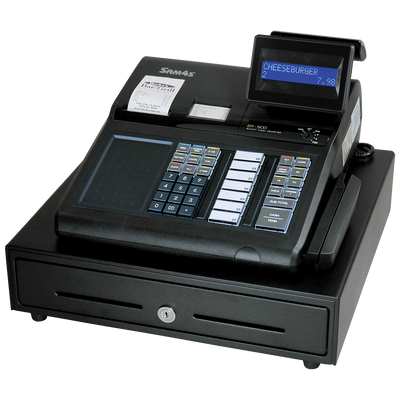
SAM4S Model 60 ECR Cash Drawer – Black, 24V
$89.51
Documentation supports this pairing — verification required
Check compatibilityProduct added to cart
Recommended
Total price $799
$699 register + $100 programming & setup
We program it for you, so it is ready to ring sales when it arrives.
Complex databases, data transfers, unusual peripherals, large menus, replacement migrations or special programming may need additional time, at $100 per hour. What standard setup covers
Price $699
For experienced users who will program and configure the register themselves.
The same factory-new register either way. Moving from an older register or transferring its data? Choose Programmed & Ready, or contact us first.

About the ER-920E
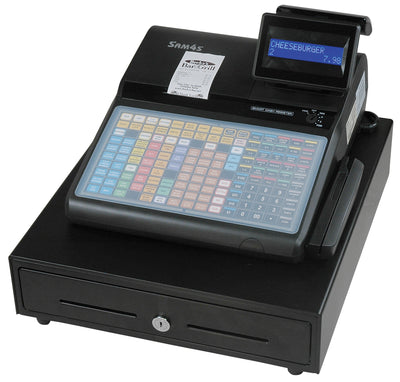
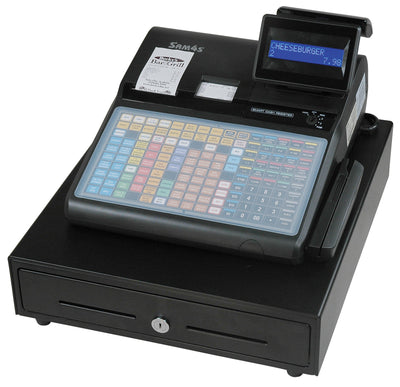
The ER-920E is the ER-900E Series model with a flat, spill-resistant keyboard and a single receipt printer. Its 150 key locations hold a preset key for each menu item, and the journal is kept electronically in the register's memory instead of on a second paper roll.


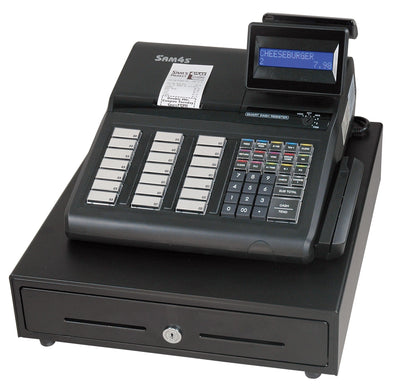
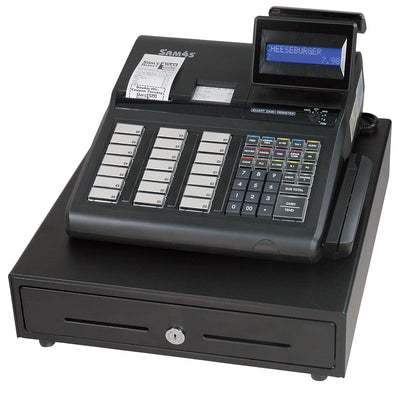
Detail photos supplied by CRS, the authorized SAM4S distributor.
Configuration
Electronic journal. This register can keep journal records electronically inside the machine rather than only on paper. That is an electronic recordkeeping capability, not an extra print station: it does not add a second built-in printer, and it is not an external kitchen or remote impact printer.
About the ER-900 Series
Multi-use commercial cash registers with raised-key or flat keyboards and single- or dual-station printer configurations.
Typical use: Retail, liquor, convenience, grocery, restaurants, bars, bakeries, concessions, and other general checkout environments.
| Print technology | Direct thermal, drop-and-print |
|---|---|
| Print stations | Single station (receipt) |
| Printer mechanism | 1 x Seiko LTPD245 |
| Print speed | 22 lines per second |
| Receipt paper width | 58 mm (2-1/4 in) |
| Electronic journal | Up to 50,000 linesAdvertised |
| Keyboard style | Flat, spill-resistant |
|---|---|
| Keys | 150 keys / 100 programmable locations |
| Departments / NLU keys | 100 |
| PLU capacity | Up to 22,000Advertised |
|---|---|
| Clerks / cashiers | Up to 99Advertised |
| Group totals | Up to 99Advertised |
| Tax rates / tables | 4 |
| Guest checks | Up to 500 hard or softAdvertised |
| Price levels per PLU | Up to 2Advertised |
| Serial ports | 2 x RS-232C (COM1 & COM2, D-Sub-9M) |
|---|---|
| Additional serial ports | 2 x RS-232C (COM3 & COM4, RJ45) via 2-port serial board, CRS item 501531Optional |
| Ethernet | One port, for DC Direct integrated payment |
| Cash drawer port | One RJ11 (24V), supports open/close |
| SD card port | Standard (program save/load, report capture, firmware updates, graphics upload) |
| Card reader | Integrated dual-track MCR, CRS item 501530Optional |
| Power requirements | 120 V AC +/-10%, 50/60 Hz |
|---|---|
| Power consumption | Approx. 25 W |
| Memory protection | Full charge for 24 hours protects memory for 90 days |
| Cash drawer drive | 24V |
| Operator display | 2 lines x 16 characters, blue backlit LCD |
|---|---|
| Customer display | 9-digit LED, rear |
| Standard cash drawer | Model 60: 5 bill / 5 coin, drawer lock, two media slots |
| Unit dimensions / weight | 16-1/2 x 15-3/4 x 11-13/16 in (W x D x H), 25.10 lb |
| Shipping carton | 22 x 20 x 15 in, 30 lb |
| Operating environment | 32-104 F (0-40 C), 30-80% RH non-condensing |
Specified in: ER-900E Series Product Update SheetER-900E Series Brochure
Everything this register comes with, and the few things worth adding. Options are off unless you turn them on.
Already purchased this register?
Send us the business, programming, peripheral, payment-terminal and go-live details we need to prepare the register correctly. The worksheet will already know the exact model.
These are the items we associate with this register in our own data. Add what you need now, or keep the register by itself.
Documented in:ER-900E Series Product Update SheetER-900 Series HelpER-900E Series Operator-Programming Manual
Verification is still required for the exact interface, connector or cable, available power, firmware and programming before this hardware should be ordered for the register.A connector that physically fits does not by itself establish compatibility. Interface, cable, protocol, firmware and programming can all matter, so anything not marked as established should be confirmed with us before you order. Ask us to confirm a pairing.
$89.51
Documentation supports this pairing — verification required
Check compatibility
$175.00
Documentation supports this pairing — verification required
Check compatibility
$395.00
Documentation supports this pairing — verification required
Check compatibilitySupport and programming are sold as time blocks at $100 per hour, or $50 for a 30-minute block, Monday–Friday, 9:00 AM–5:00 PM Eastern. There is no 24/7 line. You do not need to have bought the register from us.


This model uses 58 mm (2.25 in) receipt paper. Check the roll diameter your printer accepts as well as the width, since width alone does not guarantee fit.
Verified accessories
These are exact products, matched to this exact register. Anything not listed here is not ruled out — it simply has not been verified yet, and we would rather tell you that than sell you a guess.
Model 60
RJ11
CRS, the authorized distributor, lists this 24V drawer as the standard cash drawer for the ER-920E, so the pairing itself is documented.
$89.51
View & buyGCUBE
USB / Serial / Ethernet
Register compatibility verification required
$193.75
View & buyGCUBE
USB / Serial / Ethernet
Register compatibility verification required
$189.95
View & buyBTP-M300A
USB / Serial
Register compatibility verification required
$261.25
View & buyBTP-M300A
USB / Serial
Register compatibility verification required
$256.25
View & buyCR950
RS232
SAM4s setup procedure documented
$175.00
View & buyCR5215
RS232
SAM4s setup procedure documented
$395.00
View & buyDocumented does not mean plug-and-play: port programming, baud settings and the correct cable still have to be right, and that is what we confirm with you before anything ships.
Compatibility
Cash Drawers
Barcode Scanners
Documented in:ER-900E Series Product Update SheetER-900 Series HelpER-900E Series Operator-Programming Manual
Compatibility status: Verification required. We confirm the exact configuration before recommending or shipping equipment.
With Programmed & Ready, tax, departments, items, prices, clerks, keyboard layout and receipt details are set up for you. Custom work beyond the standard setup is quoted separately.
See programming scope →Technical support is a separate service from programming. Support hours are Monday–Friday, 9:00 AM–5:00 PM Eastern; we do not offer 24/7 support. The current support rate is $100/hour.
Support & service hub →Replacement & upgrade
The ER-390M's documented flat 90-position keyboard, single thermal printer, electronic journal and two RS-232 ports compare most closely with the current ER-920E. The ER-380 and ER-380M keyboard type is not documented, so the ER-925E and ER-915E are options to discuss once we see the keyboard.
Confirm the exact old model, keyboard style, programming, scanners, scales, printers, cash drawer, payment equipment, reports and data-transfer expectations before ordering. Do not assume existing programming or peripherals transfer directly.Each current ER-900E model keeps the keyboard and printer configuration of its older counterpart (flat or raised keys; single-station or receipt-and-journal printing), as documented in the CRS ER-900 Series brochure and the ER-900E update sheet. This is the closest current fit based on documented features, not a manufacturer replacement statement. If the workflow has changed, the NR-510 or SAP-630II are options to discuss.
Confirm the exact old model, keyboard style, programming, scanners, scales, printers, cash drawer, payment equipment, reports and data-transfer expectations before ordering. Do not assume existing programming or peripherals transfer directly.Before ordering a replacement we confirm:
Manuals & Downloads
Each PDF is matched to this exact model. Files open in a new tab or save to your device, depending on your browser.
ER-900E Series Product Update Sheet
Download Product Specification Sheet (PDF)ER-900 Series Help
Open Support Page →ER-900E Series Operator-Programming Manual
Download Operator and Programming Manual (PDF)ER-900 / ER-900E Series Peripheral Installation Guide
Download Peripheral Installation Guide (PDF)ER-900(E) Series PC Utility User's Manual
Download PC Utility Manual (PDF)ER-900E Series Integrated Payment Programming Guide (Datacap DC Direct)
Download Integrated Payment Programming Guide (PDF)ER-900 Series Training Guide (Program Creation & Exercises)
Download Training Guide (PDF)ER-900E Series Brochure
Download Product Specification Sheet (PDF)Related models
Same family, different keyboards and printers. Prices are current.
$699.00
$759.00
View ER-940E$729.00
View ER-925E$779.00
View ER-945E$729.00
View ER-915EThe ER-915E is documented by CRS separately from the ER-900E Series; its figures come from its own brochure.
Confirm the workflow, capacity and connected equipment that matter at your counter before ordering.
Departments, preset/open prices, PLUs, barcodes and employee workflow.
Enough item, department and reporting capacity for today and reasonable growth.
Verify scanners, printers, drawers, scales and interfaces by exact model.
Document the old model, keyboard, reports and programming before replacing it.
Use a programmed package to match the register, accessories and initial setup to your workflow.
Start with the exact old model and the functions the business needs to keep.
See every current SAM4S register side by side and narrow it by business type, keyboard, barcode scanning and card processing.
Guides for this model’s business types: Restaurant and food-service cash registers
We can review your current processing statement and help match the payment setup to the register. If your existing processor already works well, you can keep it.